

CRM64Pro Tutorial 13
XML configuration data.
Load an XML document, read typed values and node text, and use them to configure rendered content.
Overview
This tutorial loads Base/tutorial.xml through XMLMgr. It selects nested elements, reads string, integer and floating-point attributes, and retrieves text stored inside a node.
The loaded values control headings, positions and player information rendered over the shared tutorial background.
Final result
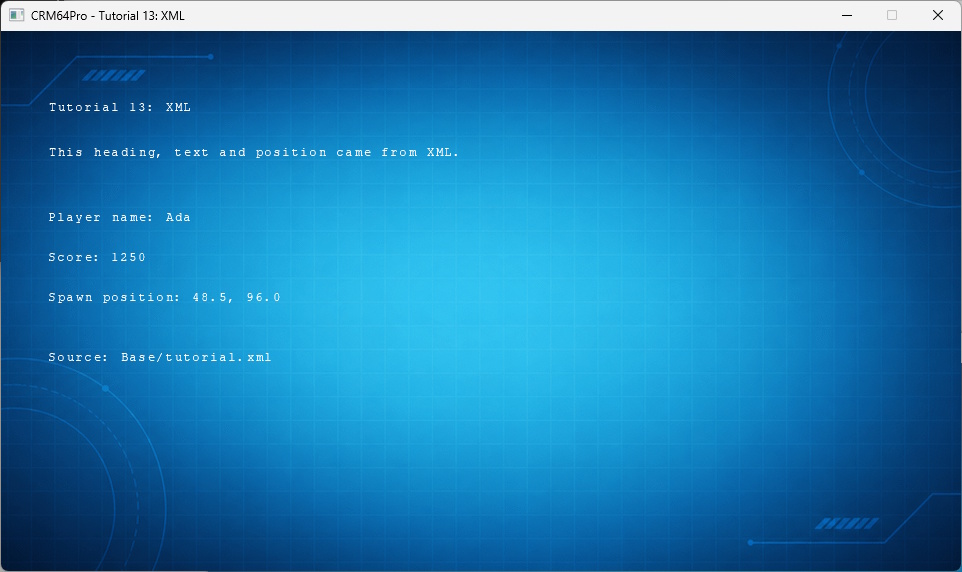
D toggles the debug window, grave toggles the console, and Q or ESC exits.
Prerequisites
- CRM64Pro GDK installed and configured with a supported C++17 compiler.
- Tutorial package downloaded and fully extracted, preserving its folder structure.
- Run Tutorials 02 and 04 so
Tutorial.cdccontains the background and cursor. - Included assets available under
bin/Base/:tutorial.xml.
What you will learn
- Load an external document with
XMLMgr::loadFromFile(). - Use the borrowed
XMLobject owned by its manager. - Select nested elements with
XML::nodePointTo(). - Read string, integer and floating-point attributes.
- Read element text.
- Use XML values in normal rendering code.
Step by step
Step 1: Define the input resources
The XML document remains an external editable file, while the background and cursor come from the shared CDC archive.
#define RESOURCE_XML_FILE BASEDIR"tutorial.xml"
#define RESOURCE_BG_CDC_NAME "Tutorial_bg"
#define RESOURCE_CURSOR_CDC_NAME "Tutorial_cursor"
#define OUTPUT_CDC OUTPUTDIR"Tutorial.cdc"
Step 2: Load the XML document
XMLMgr owns the document. Validate both the returned ID and the borrowed pointer before reading data.
// XMLMgr owns the loaded document. The returned XML pointer is borrowed.
mLog.msg(LL_INFO, "  Load XML configuration: %s ... ", RESOURCE_XML_FILE);
rState.idXML = mC64.xmlMgr().loadFromFile(RESOURCE_XML_FILE, "TutorialXMLConfig");
XML* pXML = mC64.xmlMgr().get(rState.idXML);
if(rState.idXML < 0 || pXML == nullptr)
{
    logTaskFailed(mLog, rState.idXML);
    return false;
}
logTaskOk(mLog);
Step 3: Select a node and read attributes
Pass the complete element path to nodePointTo(), then use typed accessors with fallback values.
// nodePointTo() selects a nested node by listing its complete path.
mLog.msg(LL_INFO, "  Read display configuration ... ");
if(!pXML->nodePointTo(2, "tutorial", "display"))
{
    logTaskFailed(mLog);
    return false;
}
rState.sHeadingText = pXML->getAttributeString("heading", "Tutorial 13: XML");
rState.iHeadingX = pXML->getAttributeInt("x", rState.iHeadingX);
rState.iHeadingY = pXML->getAttributeInt("y", rState.iHeadingY);
logTaskOk(mLog);
Step 4: Read node text
Select the nested intro element and retrieve its text before reading its position attributes.
// Node text is useful for configurable rendered text and longer messages.
mLog.msg(LL_INFO, "  Read text and position ... ");
if(!pXML->nodePointTo(3, "tutorial", "display", "intro") || !pXML->getText(rState.sIntroText))
{
    logTaskFailed(mLog);
    return false;
}
rState.iIntroX = pXML->getAttributeInt("x", rState.iIntroX);
rState.iIntroY = pXML->getAttributeInt("y", rState.iIntroY);
logTaskOk(mLog);
Step 5: Read typed player data
The player element demonstrates string, integer and floating-point attribute access in one place.
// Typed accessors convert XML attributes into application data.
mLog.msg(LL_INFO, "  Read player data ... ");
if(!pXML->nodePointTo(2, "tutorial", "player"))
{
    logTaskFailed(mLog);
    return false;
}
rState.sPlayerName = pXML->getAttributeString("name", "Player");
rState.iPlayerScore = pXML->getAttributeInt("score", 0);
rState.fSpawnX = pXML->getAttributeFloat("spawnX", 0.0f);
rState.fSpawnY = pXML->getAttributeFloat("spawnY", 0.0f);
logTaskOk(mLog);
Step 6: Render the configured values
Rendering no longer needs to know how the data was stored. It reads the populated tutorial state like any other application data.
// Draw XML-configured text directly over the background.
static void renderFrame(Image* pBgImage, Font* pBuiltInFont, const TutorialState& rState)
{
    if(pBgImage) pBgImage->render();
    if(!pBuiltInFont) return;

    renderText(pBuiltInFont, rState.iHeadingX, rState.iHeadingY, rState.sHeadingText.c_str());
    renderText(pBuiltInFont, rState.iIntroX, rState.iIntroY, rState.sIntroText.c_str());

    char szLine[128];
    snprintf(szLine, sizeof(szLine), "Player name: %s", rState.sPlayerName.c_str());
    renderText(pBuiltInFont, 48, 180, szLine);
    snprintf(szLine, sizeof(szLine), "Score: %d", rState.iPlayerScore);
    renderText(pBuiltInFont, 48, 220, szLine);
    snprintf(szLine, sizeof(szLine), "Spawn position: %.1f, %.1f", rState.fSpawnX, rState.fSpawnY);
    renderText(pBuiltInFont, 48, 260, szLine);
    renderText(pBuiltInFont, 48, 320, "Source: " RESOURCE_XML_FILE);
}
Step 7: Load the data before the loop
Stop setup if a required node or text value cannot be read.
if(!loadXMLData(mC64, mLog, state))
{
    Main::terminate();
    return -1;
}
Step 8: Finish the loop cleanly
A quit request exits before another state update.
if(!bRunning) break;
state.fMouseX = mC64.cursorMgr().getX();
state.fMouseY = mC64.cursorMgr().getY();
state.iCurrentRenderRate = static_cast<Sint32>(mC64.timer().getCurrentRFR());
state.iCurrentLogicRate = static_cast<Sint32>(mC64.timer().getCurrentLFR());
updateLogic(state);
Step 9: Release the XML document
Close manager-owned XML documents during cleanup, before terminating the engine.
mLog.msg(LL_INFO, "  Close XML documents ... ");
mC64.xmlMgr().close(0);
logTaskOk(mLog);
Complete source
Use the source file as the authoritative version of this tutorial.
- View Tutorial_13_XML.cpp
- Input XML:
Base/tutorial.xml - Input archive:
Tutorial.cdc - Log:
Tutorial_13_XML.log
Tutorial index